
Five tools for running AI agents on your own infrastructure
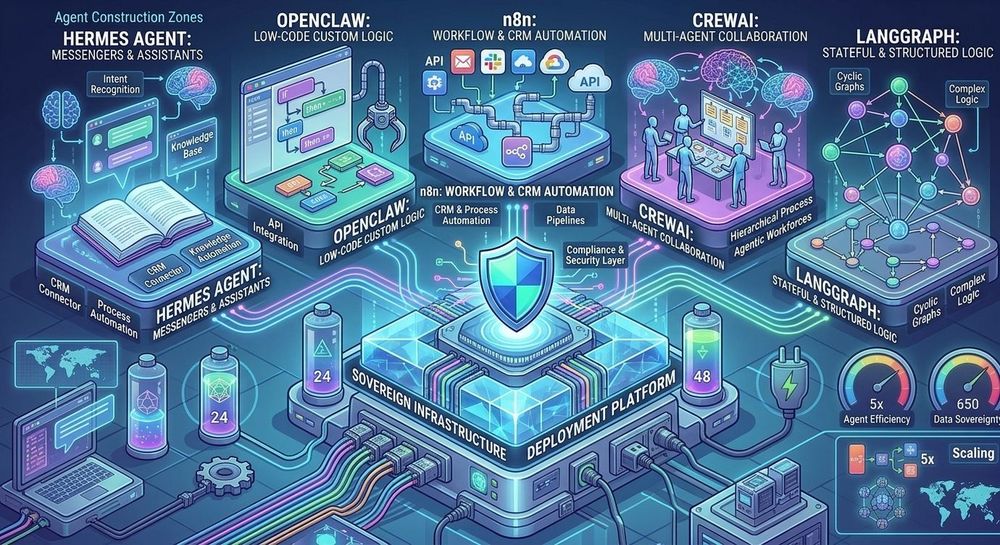
When choosing an AI agent for your business, start with what your team needs: a chat-based assistant, a repeatable CRM workflow or an application with its own execution logic. This guide compares five tools you can deploy yourself: Hermes Agent, OpenClaw, n8n, CrewAI and LangGraph.
An AI agent receives a task, selects tools and uses the result of each step to decide what to do next. It might read a file, call an API or draft a CRM record. The developer decides which actions the agent can take on its own and which require human approval.
How the tools were compared
For an integrator, the main considerations are setup effort, support for self-hosted models, tool integration, state persistence and control over actions. The tools fall into three groups: ready-made assistants, visual workflow automation and frameworks. The order reflects the kind of setup each tool requires. The comparison draws on product documentation.
| Tool | When to choose it | What to set up and verify |
|---|---|---|
| Hermes Agent | An assistant for scheduled jobs and recurring reports | Channel, model, memory, schedule and tool permissions |
| OpenClaw | An assistant you can use from a messaging app | Gateway access, allowed channels, tools and sandboxing |
| n8n | A repeatable workflow across your CRM, email or spreadsheets | Workflow nodes, write conditions and action approvals |
| CrewAI | Agents collaborating in distinct roles | Roles, task order and state persistence in Flows |
| LangGraph | An application with custom branching and recovery | Graph, state storage, approval points and retries |
Ready-made assistants and visual automation
Hermes Agent. The Nous Research assistant keeps memory across sessions, can save useful procedures as reusable skills and runs scheduled tasks. Use it for a morning digest from your issue tracker or a regular service check. Start with read-only access, review several runs and add write permissions when you need them. On Qudata.ai, you can connect a model to Hermes and choose where the assistant sends reports.
OpenClaw. Choose it when users want an assistant in a familiar channel such as Telegram or Slack. With the right permissions, it can read files, use a browser and run commands. Limit the permitted users and tools before connecting a channel. An email or web page can contain instructions the agent mistakes for a command. When you set up OpenClaw on your server, start with a private channel and read-only tools.
n8n. The visual platform fits processes with a known path and a step that needs to interpret free-form text. An n8n workflow can receive an email, pass it to a model, validate required fields and ask for approval before writing to the CRM. The source is available under the Sustainable Use License. Check the terms if you plan to embed n8n in a customer product or offer access to the platform as a service.
Frameworks for custom execution logic
CrewAI. Use it when dividing work into roles makes sense. One agent might extract information from a request, another check it against policy and a third prepare a summary for a reviewer. Crews define roles and tasks, while Flows can control execution and manage state. The @persist decorator saves state in a Flow. Choose CrewAI if those separate roles make the process easier to review or extend.
LangGraph. Use it when the process needs explicit branches, pauses and recovery. A request with missing information can go back for clarification, while a high-risk request can pause for a reviewer. Set up checkpoints and state storage to save progress. Replaying from a checkpoint can run later nodes again. Before writing to the CRM, check the request ID so a retry cannot create a duplicate record.
Run a small CRM pilot
Start with one workflow and de-identified requests. Let n8n receive the request, have the model extract the fields and show the draft to a reviewer before writing it. Measure the share of correctly processed requests, the share that needs manual intervention and the cost per successful request, including retries. Add Hermes or OpenClaw for notifications or summaries. Consider CrewAI if separate reviewer roles become useful, and LangGraph if the workflow needs to resume from a specific step after a failure.
Before the pilot, check which fields the model, CRM, messaging channel and logs can see. Self-hosted inference lets you process model requests on your chosen GPU. Messaging, web search, CRM and telemetry can send data beyond that server. Give the agent the minimum permissions it needs and require approval for actions that change or send data.
Where to run the agent and the model
The agent process can run on a VPS while inference runs on a separate GPU server. On Qudata.ai, you can rent an LLM with a GPU and connect through an OpenAI-compatible API. With n8n, CrewAI or LangGraph, check the client configuration and the model’s tool-calling support first. If the agent uses external tools through MCP, review access to each tool server and the actions it can take.
An RTX 4090 with 24 GB of VRAM can be enough for one user if the model fits, the context is short and requests arrive one at a time. For a larger model or concurrent requests, compare NVIDIA A100 and NVIDIA H100 configurations. Check the VRAM on the specific offer and replay both typical and long requests before choosing an instance for the team.
Qudata estimates that, under heavy load, renting an A100 or H100 can cost one-third to one-fifth as much as a comparable hosted API, and self-hosted inference can respond faster. The result depends on the model, rate and traffic profile. For your pilot, run the same tasks and compare output quality, time to first token, p95 end-to-end latency and cost per successful request. Include billable idle time for the GPU and both input and output tokens for the API. For sporadic requests, token-based billing can cost less.